
A “welcome to my profile” stylish name is the decorated greeting line people put in a bio or display name — for example ꧁༒•𝘞𝘦𝘭𝘤𝘰𝘮𝘦𝘵𝘰𝘮𝘺𝘱𝘳𝘰𝘧𝘪𝘭𝘦•༒꧂ or ╰┈➤ˎWelcome!. It is ordinary text built from Unicode characters, so you can paste it straight into an Instagram bio, a Facebook intro, a WhatsApp About or a game profile. For the name line above the bio rather than the bio itself, the Instagram display name styles are measured against that field’s own limit. The tool at the top of this page already has the phrase loaded in 101 styles — tap any one to copy it. Everything below was generated and measured on that same tool on 25 August 2026. NameStylish is an independent tool and is not affiliated with Instagram, Facebook, Meta or any other platform named here.
On this page
- What a “welcome to my profile” stylish name is
- Which styles keep the four words readable
- Ready-to-copy welcome lines
- Will it fit in your bio? (measured)
- Profile name stylish — styling your name instead
- Where these lines work — and where they don’t
- Welcome lines in Urdu, Hindi and Bangla
- Stylish profile name for Facebook
- Build your own line from dividers
- FAQ
What a “welcome to my profile” stylish name is
A “welcome to my profile” stylish name is a greeting sentence rewritten in decorative Unicode letters and wrapped in symbols, used as the first line of a bio or as a display name. It is not a font you install and it is not an image: every character already exists in the Unicode standard, which is why the same line survives being copied from this page into Instagram, Facebook or a game lobby. The phrase is popular because a profile has only a few seconds to introduce itself — a styled greeting does that faster than plain text.
Three different things get called by this name, and mixing them up is why people paste a line that then refuses to save:
| What it is | Where it goes | Accepts styled Unicode? |
|---|---|---|
| Bio / About / intro text | Instagram bio, Facebook intro, WhatsApp About | Yes |
| Display name (the shown name) | Instagram name field, TikTok display name, game IGN | Usually yes |
| Username or handle | Instagram and TikTok handles | No — letters, numbers, dot, underscore only |
Which styles keep the four words readable
Only 7 of the 101 styles this tool produces keep “Welcome to my profile” as separate, readable words — the other 94 run the words together into one block such as Ⓦⓔⓛⓒⓞⓜⓔⓣⓞⓜⓨⓟⓡⓞⓕⓘⓛⓔ. That happens because most decorative alphabets in Unicode have no styled space character, so the generator drops the gaps rather than leaving raw spaces that break the effect. We counted this across all 101 outputs on 25 August 2026.
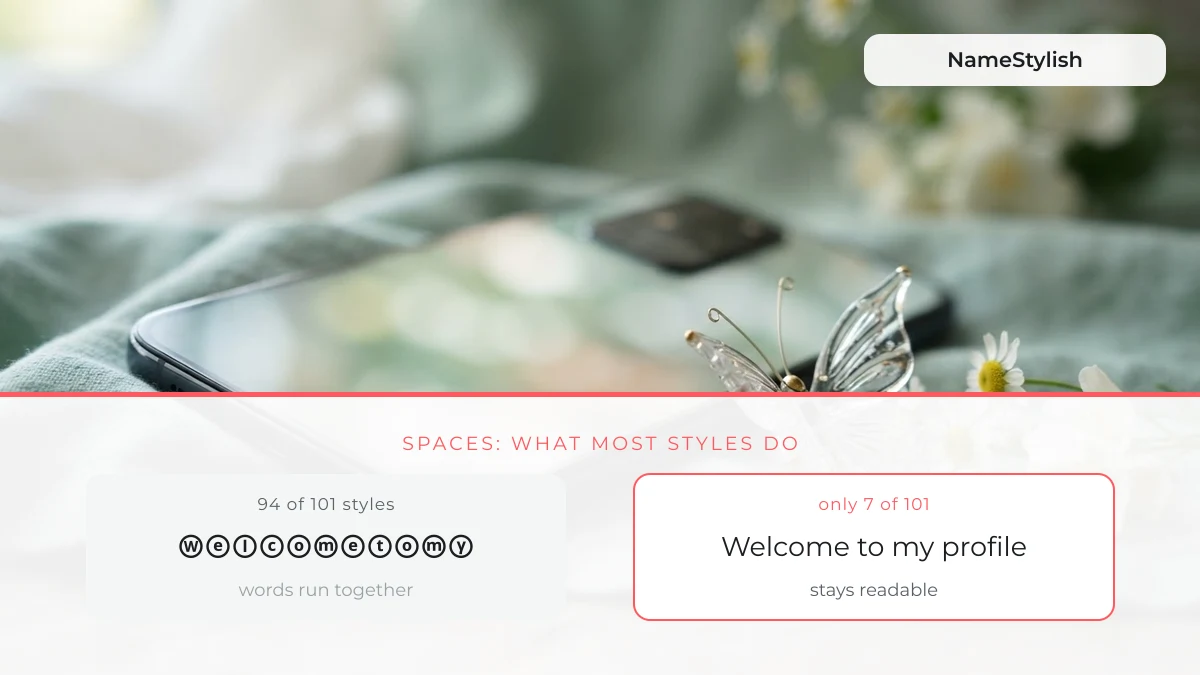
If you want the sentence to actually read as a sentence, use one of these — they either keep real spaces or use a visible separator such as ... between words:
Everything else is still perfectly usable; it just reads as one decorative block rather than four words. That is fine for a display name and less good for a bio line you want people to read.
Ready-to-copy welcome lines
These are ready-made greeting lines — tap any one to copy it, then paste it into your bio. They open a profile; the line that closes a post, asking people to like, comment and share, has its own set of like comment share lines and counter icons. They are grouped so you can find the register you want rather than scrolling one flat list. This section holds 131 hand-picked items; the tool at the top of the page returns the full set of 101 styles for any text you type.
Aesthetic & fairycore welcome lines
Soft, decorated greeting lines in the aesthetic style that dominates profile bios in 2026 — lace-thin dividers, sparkles, bows and butterflies.
Short styled versions (fit anywhere)
The shortest versions of the phrase, ordered by how much room they take in a bio counter — these are the safest choice when a platform limit is tight.
Bold, italic and boxed versions
Mid-length styles with a stronger visual weight, including the bold and italic mathematical alphabets and the circled and squared letter sets.
Framed and heavily decorated versions
The most decorated versions, wrapped in symbol frames such as ꧁ ꧂ and ༒ — these look best as a display name or a game profile line.
Will it fit in your bio? (measured)
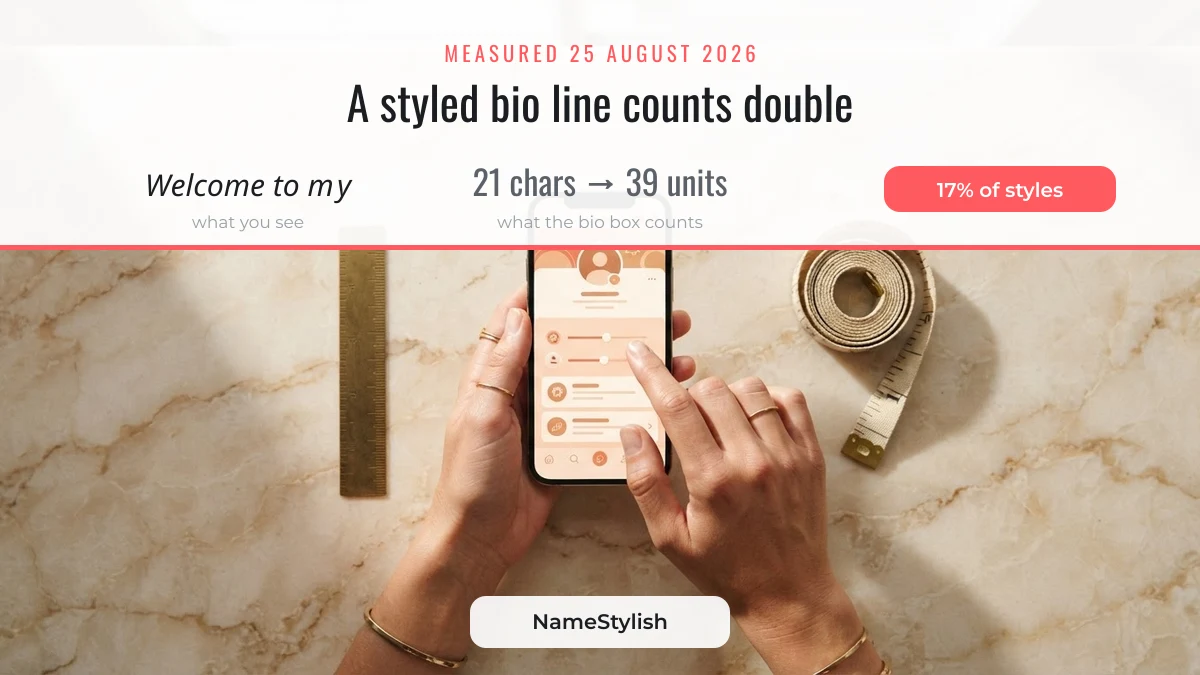
A styled line can be rejected by a bio box even when it looks short, because most platforms count text in UTF-16 code units rather than in visible characters. We measured every one of the 101 outputs on 25 August 2026: 17 of them (17%) are built from styled letters that each cost two units instead of one, because the bold, italic and squared alphabets live outside Unicode’s basic range.
In practice that means a line you see as 21 characters can be counted as 39. The worst inflation we measured was a 24-character italic line counted as 42 units — 75% larger than it looks.
| Style family | Visible characters | Counted as (UTF-16 units) | Inflation |
|---|---|---|---|
| Plain text with spaces | 21 | 21 | none |
| Circled / squared letters | 18 | 18–36 | none to 2× |
| Italic mathematical letters | 21 | 39 | 1.86× |
| Italic in a symbol frame | 24 | 42 | 1.75× |
All four of the readable styles above stay at their visible length, which is another reason to prefer them for a bio rather than a display name. If a bio box silently refuses to save, shorten the line or switch to one of the short styles.
Profile name stylish — styling your name instead of the sentence
A stylish profile name is your own name run through the same styles, and it is what most people actually want once the greeting line is in place. Type your name into the tool at the top of this page instead of the greeting and it returns the same 101 styles applied to it. The greeting goes in the bio; the styled name goes in the name field — using both is what makes a profile look deliberately put together rather than randomly decorated.
If you are styling a name rather than a sentence, the pages for royal and silent attitude names for boys and cute and queen-style names for girls carry ready-grouped lists you can copy directly.
Where these lines work — and where they don’t
Styled greeting lines work in every field that stores free text, and fail in every field that validates its characters. This is the single most useful thing to know before you paste, and it is the reason “it worked on my bio but not my username” is such a common complaint.
| Field | Works? | Note |
|---|---|---|
| Instagram bio | Yes | Line breaks allowed; the greeting usually sits on line one |
| Instagram name (not the username) | Yes | Changeable a limited number of times in a short window |
| Instagram username | No | Letters, numbers, periods and underscores only |
| Facebook intro / bio | Yes | Free text field |
| Facebook real name field | No | Real-name policy rejects symbol decoration |
| TikTok display name | Yes | Styled text accepted |
| TikTok username | No | 2–24 characters; letters, numbers, underscores and periods only |
| WhatsApp About | Yes | Free text field |
One more limit worth knowing: some apps run pasted text through Unicode normalisation (NFKC) before storing it. Normalisation converts the styled letters back to plain ones, so a line that looked decorated in the input box can appear as ordinary text after saving. Nothing is broken when that happens — the platform has simply flattened the styling, and no generator can prevent it.
Welcome lines in Urdu, Hindi and Bangla
The tool accepts Urdu, Hindi and Bangla input and keeps the spelling correct, but it decorates those scripts rather than restyling their letters — and that is the honest, correct behaviour. Unicode contains bold, italic and circled alphabets for Latin only; there is no styled alphabet for Urdu, Devanagari or Bangla. Any tool that claims to make Urdu “bold” is either transliterating it into Latin letters or breaking the joins.
We tested all three on 25 August 2026. The script stays intact in each case — Urdu remains right-to-left and joined, Devanagari keeps its matras attached, and Bangla conjuncts are preserved:
| Script | Input | Returned by the tool | Spelling intact? |
|---|---|---|---|
| Urdu | خوش آمدید | خوش آمدیدᥫᩣ | Yes — joined and RTL |
| Hindi (Devanagari) | स्वागत है | ꧁༒•स्वागत है•༒꧂ | Yes — matras attached |
| Bangla | স্বাগতম | 亗স্বাগতমϟ | Yes — conjunct preserved |
So for these scripts, use the decorative frames and dividers rather than expecting restyled letters. That is also why the plain spelling is worth keeping: a correctly spelled greeting in your own script reads better than a mangled “styled” one.
Stylish profile name for Facebook
On Facebook the greeting line belongs in the intro or bio field, not in the name field, because Facebook’s real-name policy rejects names containing symbol decoration. This is the most common reason a Facebook name change is refused after someone copies a framed line such as ꧁༒•text•༒꧂ into it.
What does work: paste the styled greeting into the short bio under your profile picture, or into the “Details about you” intro. Both are free-text fields, both accept the full range of Unicode used on this page, and neither is checked against the real-name policy.
Build your own line from dividers
Dividers and ornaments let you assemble a greeting that nobody else has, which matters when a ready-made line is already on thousands of profiles. Tap a divider to copy it, then put your own words between two of them — for example a divider, your greeting, the same divider again. Dividers are among the safest things to wrap a line in; stacked ornaments are not, and the tier list of what survives a name field shows where each kind falls.
Combining a divider above and below a plain sentence is usually more readable than styling the sentence itself, and it stays at its visible length in a bio counter.
FAQ
Why did my styled line turn into plain text after saving?
The app normalised it. Some platforms run pasted text through Unicode NFKC normalisation before storing it, which converts styled letters back to their plain equivalents. It is not a fault in the line — try a version built from symbols and dividers instead of styled letters, since symbols are not affected by normalisation.
Can I use a “welcome to my profile” line as my username?
No. An @username on Instagram or TikTok accepts only letters, numbers, periods and underscores. The greeting line goes in your bio or display name instead; those fields store free text and keep the styling.
Why do the words run together in most styles?
Most decorative Unicode alphabets have no styled space character, so the generator removes the gaps rather than leaving plain spaces that would break the visual effect. 7 of the 101 styles keep the words separate — they are grouped in the readable section above.
Does a longer decorated line hurt my profile?
Only in that it uses up the bio limit. Styled characters can count double in a platform’s counter, so a heavily framed line can consume most of a short bio and leave no room for the rest of your text. If space is tight, use a short style or a divider with plain words.
Are these real fonts I need to install?
No. They are Unicode characters that already exist on the device showing them, which is why they survive copy and paste between apps. Nothing is downloaded and nothing is installed — if a character shows as an empty box, that specific device simply lacks a glyph for it, and it will still look correct on most phones.
Looking for the full set of styles rather than this one phrase? NameStylish runs the same generator across every style in the library, and there are ready-grouped lists for Free Fire in-game names, imo names and group names and Yalla voice-room names if you need the line for an app profile.
Tested and measured on 25 August 2026. NameStylish is an independent tool and is not affiliated with Instagram, Facebook, Meta, TikTok, WhatsApp or any other platform mentioned on this page.